What PageSpeed monitoring stack should an agency run in 2026?
Most agencies do not need three products on day one. Pick a default PageSpeed monitoring stack, then add RUM only where money URLs justify it.
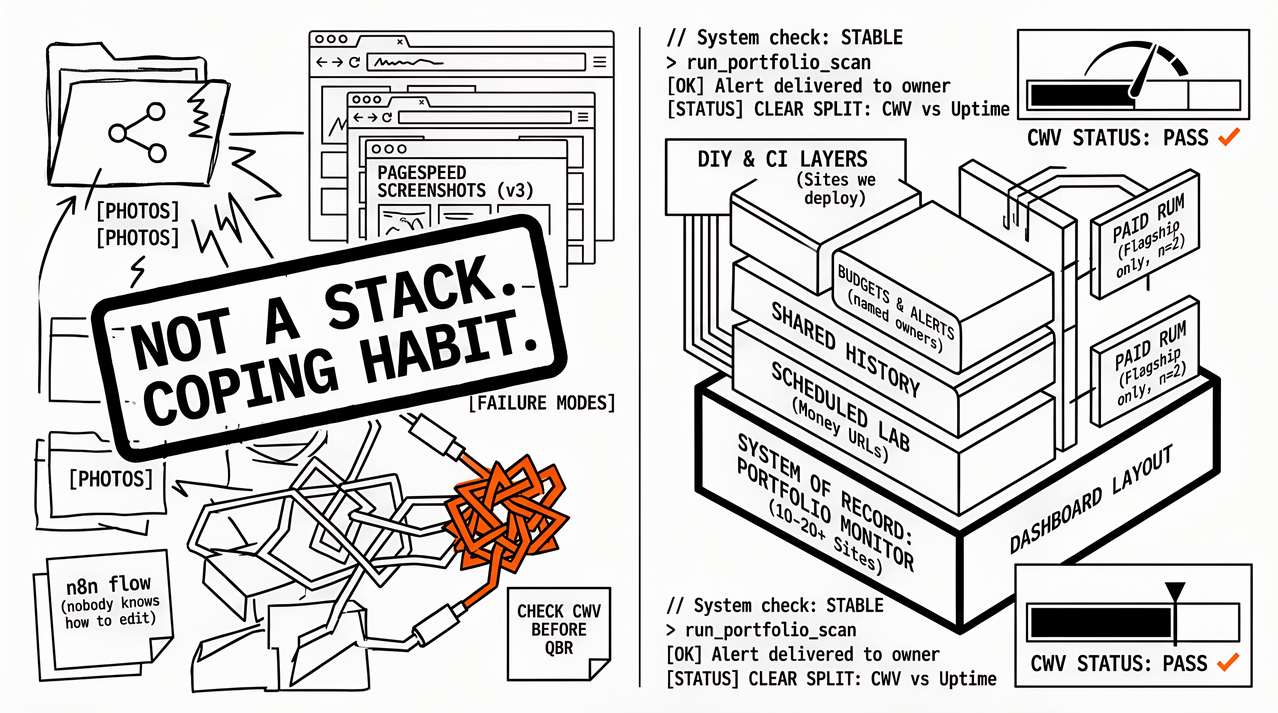
The roster hits twenty client sites, yet the “monitoring stack” is still a shared folder of PageSpeed Insights screenshots, one engineer’s n8n flow nobody else can edit, and a promise to check Core Web Vitals before the QBR. That is not a PageSpeed monitoring stack for agencies; it is a coping habit with a product roadmap glued on. The gap shows up the first time two account managers need last month’s LCP trend and only one person knows which sheet tab is current.
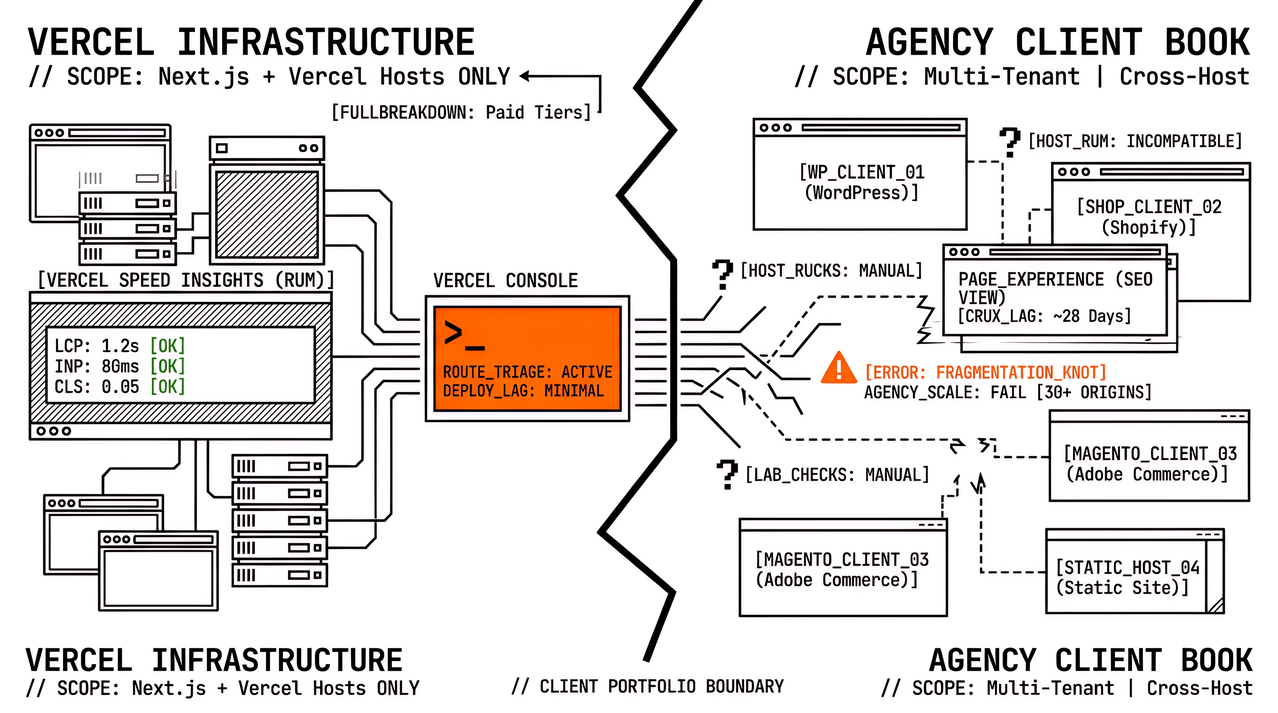
What agencies should run in 2026 is usually simpler than the vendor shortlist suggests. A multi-site portfolio monitor works best as the system of record for lab history, budgets, and alert ownership, while DIY PageSpeed Insights scripts and Lighthouse CI stay as layers on sites you deploy. Paid real-user monitoring (RUM) belongs on the one or two flagship properties where field depth pays for itself; everything else is optional seasoning.
The full recipes and failure modes live on our blog in 3 Agency PageSpeed Stacks for 2026, and the feature checklists sit in Comparing PageSpeed Monitoring Tools. What follows here is the opinionated pick: which stack to run first when the account team asks for a decision, not another comparison table.
What a PageSpeed monitoring stack is (for agencies)
A stack is a small set of jobs with named owners, not a shopping cart of logos. For agency work those jobs are predictable:
scheduled lab coverage on money URLs (PageSpeed Insights or equivalent),
history an account manager can open without asking engineering,
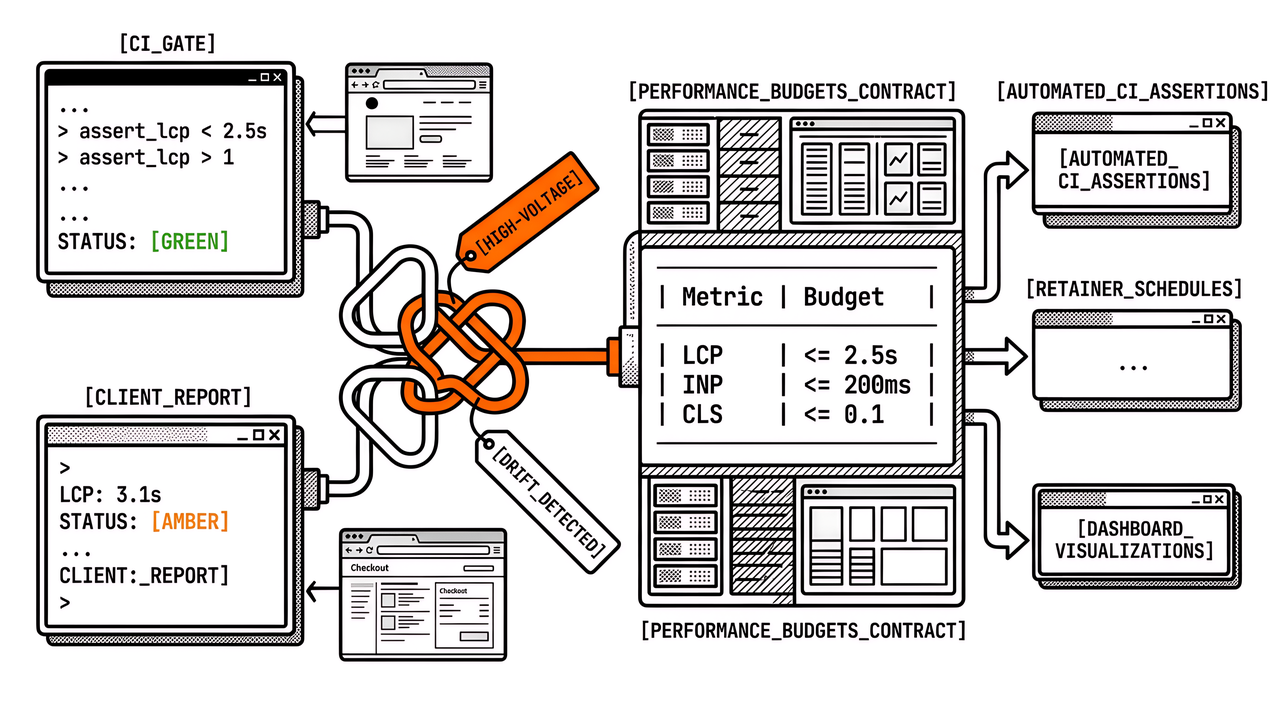
budgets and alerts that fire for someone other than the person who wrote the cron,
optional CI gates on templates you ship,
optional RUM depth where a snippet and seat cost are justified,
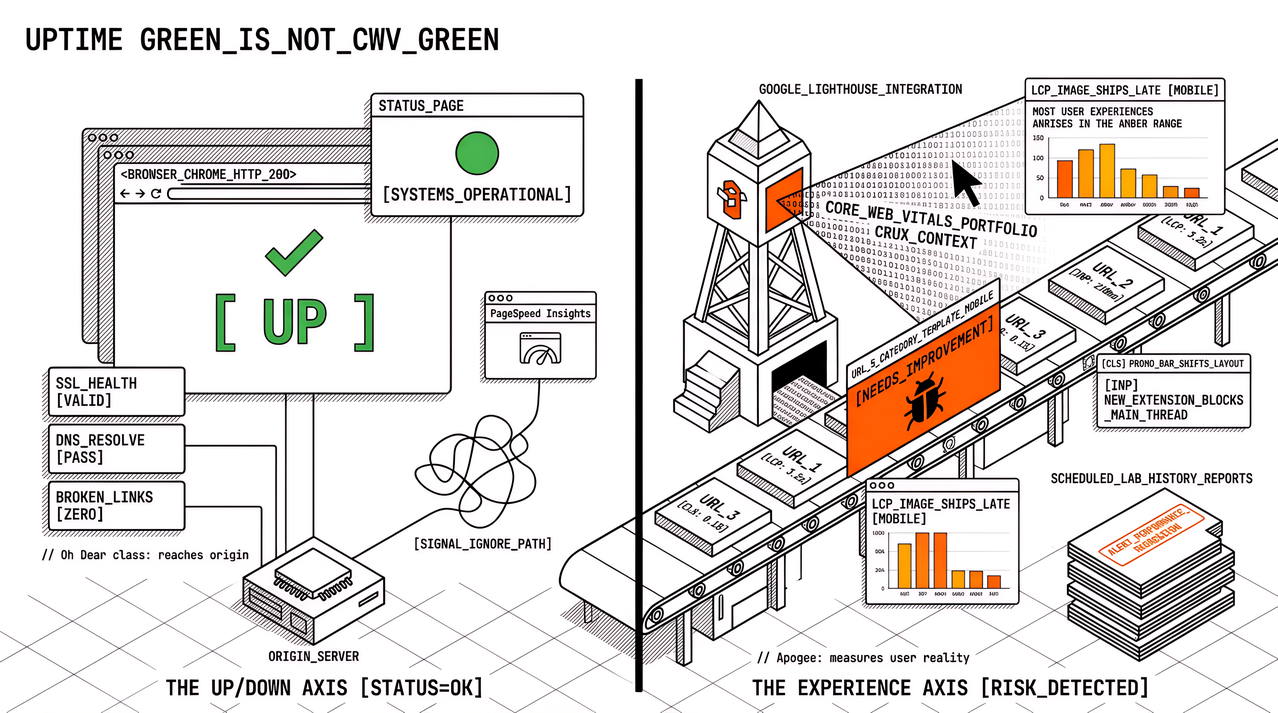
a clear split between uptime/health tools and Core Web Vitals work (they are not the same purchase).
If any of those jobs live only in one person’s head, you do not have a stack yet. You have a hero, and heroes do not scale across twenty organisations. Named owners in the tool turn the same checklist into something the account team can run without a private Slack ping.
The default stack most agencies should run in 2026
Default: portfolio monitor first for multi-client PageSpeed / Core Web Vitals coverage, DIY and CI as supporting layers, RUM as a selective add-on.
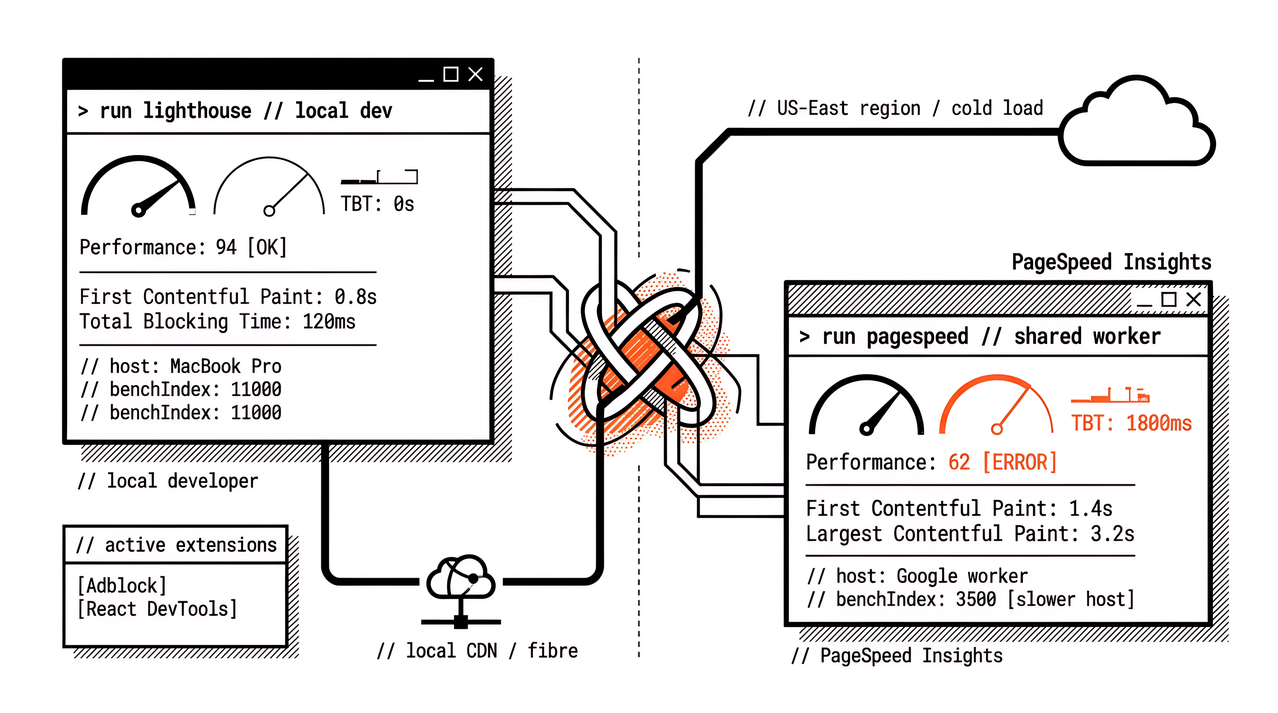
That default fits when you manage roughly ten or more client sites, sell performance or SEO retainers that mention LCP/INP/CLS, and cannot put a RUM snippet on every brochure domain. The monitor owns schedules, URL inventories, budgets, and shared history; Lighthouse CI stays in the repositories you control; PageSpeed Insights remains the lab dialect clients already recognise in Search Console conversations. Once those three layers are named, the weekly argument stops being “which vendor is best” and becomes “which job is failing.”
Apogee Watcher is built for that portfolio shape, and peers exist in the same job class. The recommendation is the shape, not a claim that only one vendor can fill it, so layer rather than rip out: keep DebugBear, SpeedCurve, or Calibre where you already pay for flagship RUM, and skip pretending every client needs that seat maths on day one. The unpaid work is deciding which sites never get a snippet, not collecting logos.
Buying “the best RUM” and rolling it out everywhere sounds tidy until seat cost, privacy reviews, and install friction kill portfolio coverage before the first amber LCP is fixed. Staying on DIY forever sounds frugal until URL lists drift, quotas collide, and reporting hours eat the retainer. The default sits between those failure modes on purpose.
When DIY PageSpeed Insights + sheets is enough
DIY (PageSpeed Insights API or self-hosted Lighthouse, Lighthouse CI, Sheets or Notion, n8n or cron) is enough when the portfolio is small, one engineer already owns automation, and nobody expects branded client PDFs from the monitoring layer. It also fits when you only need merge gates on sites you deploy, with occasional API checks elsewhere. Outside that band, DIY becomes unpaid platform work dressed up as thrift.
DIY stops being a sound primary system when any of these show up more than once a month:
campaign URLs ship and nobody added them to the sheet,
the digest email dies because the workflow owner is on leave,
account managers rebuild slides from CSV because clients will not open the spreadsheet,
“nightly for everyone” became “nightly for whoever we remembered” under API quota.
When those signals repeat, a portfolio monitor becomes the primary system and DIY stays as a layer. That is DIY versus managed PageSpeed without the false choice of deleting your pipelines: managed here means shared schedules and history, not abandoning Lighthouse CI on the templates you still ship. The roster can grow without the monitoring story living in one export again.
When to add RUM on flagship sites only
RUM earns its place when a single property funds deep field investigation: high revenue, stubborn INP, or a client who already bought SpeedCurve, DebugBear, or Calibre and needs you to operate it. The portfolio monitor still covers the long tail so brochure sites keep scheduled lab history, because paying for flagship depth while the rest of the roster goes dark is how retainers look busy and still miss regressions. Selective RUM is a budget decision, not a purity test.
Waiting for perfect RUM coverage before any monitoring starts is the other trap. Multi-site PageSpeed monitoring fails when teams refuse to schedule anything until every domain has a snippet, while lab schedules plus CrUX context from PageSpeed Insights or Search Console (where eligible) already answer most retainer questions. Field depth is a zoom lens, not the only camera.
Jobs the stack must cover (without a vendor matrix)
Treat the table below as a go-live checklist: if a row has no owner and no tool, the stack is incomplete, so fill those gaps before another logo appears on the slide.
| Job | Default owner in 2026 |
|---|---|
| Scheduled lab on money URLs | Portfolio monitor (or DIY if still under ~10 priority URLs) |
| Merge protection on shipped templates | Lighthouse CI in your repos |
| Shared history for account teams | Portfolio monitor (not a private n8n) |
| Budgets / alerts with named responders | Portfolio monitor |
| Deep field waterfalls | RUM on 1–2 flagships only |
| Reachability / SSL / status pages | Separate uptime suite (layer; do not confuse with CWV) |
When someone asks for “the best tools,” the tools comparison is the right hand-off. When they ask “what should we run next quarter?,” the default above plus the three recipes on agency PageSpeed stacks are the operational answer. The first question is research; the second is delivery.
FAQ
What PageSpeed monitoring stack should an agency run in 2026?
For most multi-client agencies, a portfolio PageSpeed / Core Web Vitals monitor is the system of record, DIY scripts and Lighthouse CI stay as layers, and RUM sits only on flagship sites that justify the seat. DIY-only still fits if the roster is tiny and automation is already owned, so write that choice into the retainer scope and sales and delivery argue from the same default.
Is PageSpeed Insights alone enough?
As a diagnostic, yes. As the only continuous system for fifteen retainers, no: you still need schedules, history, budgets, and someone other than the founder to receive the alert.
Do we need RUM on every client site?
Usually not. RUM belongs where revenue or stubborn field issues pay for it, while the long tail stays on scheduled lab monitoring and CrUX where Google publishes it.
How is this different from a tools roundup?
A roundup lists features; a stack names jobs and a default order of purchase. Use both: pick the shape here, then validate vendors against a feature checklist.
CTA
If the current “stack” is still screenshots and a private automation, this quarter is a good moment to make a portfolio monitor primary and write DIY exit criteria into the runbook. A free Apogee Watcher trial is useful when you want multi-tenant schedules and budgets without rebuilding the sheet again, while RUM and uptime tools stay where they already earn their keep.
References
3 Agency PageSpeed Stacks for 2026 (DIY, Portfolio Monitor, RUM + Monitor) (Apogee Watcher)
Comparing PageSpeed Monitoring Tools: Features Agencies Need (Apogee Watcher)
PageSpeed Insights API (Google)
Lighthouse CI (GoogleChrome)
When to Use Synthetic vs Real User Monitoring for Performance (Apogee Watcher)