Ask the agent to fix Core Web Vitals: what that actually checks
One prompt can get a lab report into the green on launch day. It does not replace field data, a URL list, or a schedule after you connect the domain.
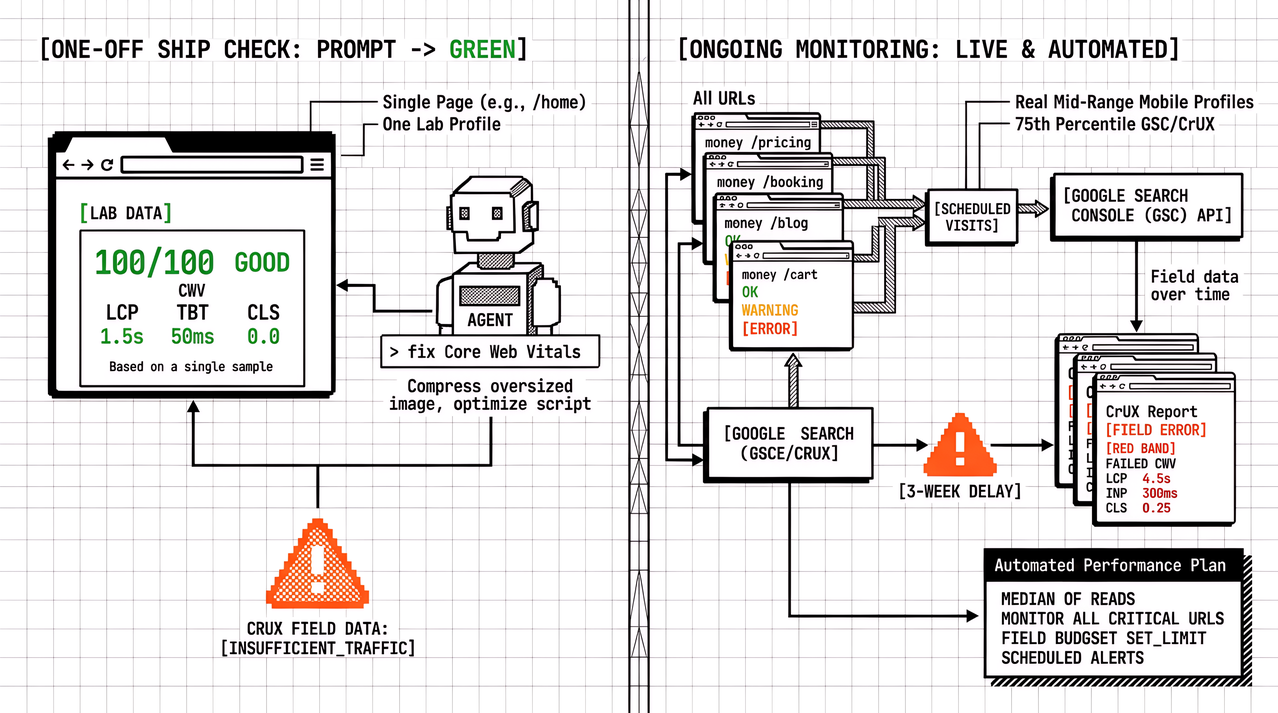
“Check the Core Web Vitals and fix anything in the red” is a useful sentence before you go live. It is not a monitoring plan. The difference shows up once the custom domain is live and someone keeps changing the site in chat.
AI website builders now treat that prompt as a normal step before you connect a domain. Guides such as Build a Website With AI in an Afternoon put speed and search basics after legal pages and before go-live: compress images, write titles, and ask the agent to clear red Core Web Vitals. That order is right for day one. The mistake is treating the green laboratory report as proof that real visitors will still meet the good thresholds next month.
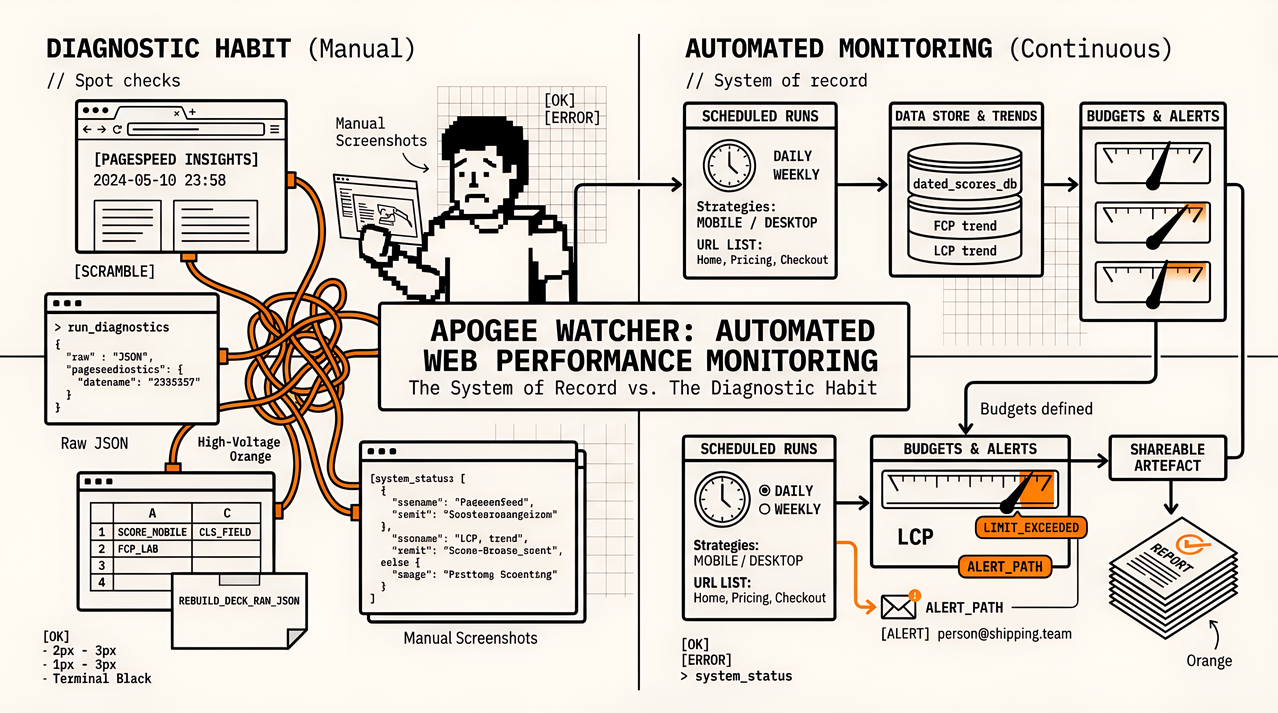
What follows separates what that prompt usually runs, what a single green PageSpeed Insights or Lighthouse sample actually measured, and what you still need after the site is live on your own domain with HTTPS. For the longer split between one-off checks and scheduled coverage, keep PageSpeed Insights vs Automated Monitoring open. For when to trust laboratory data versus field data, see When to Use Synthetic vs Real User Monitoring for Performance.
What “fix Core Web Vitals” usually means to an AI builder
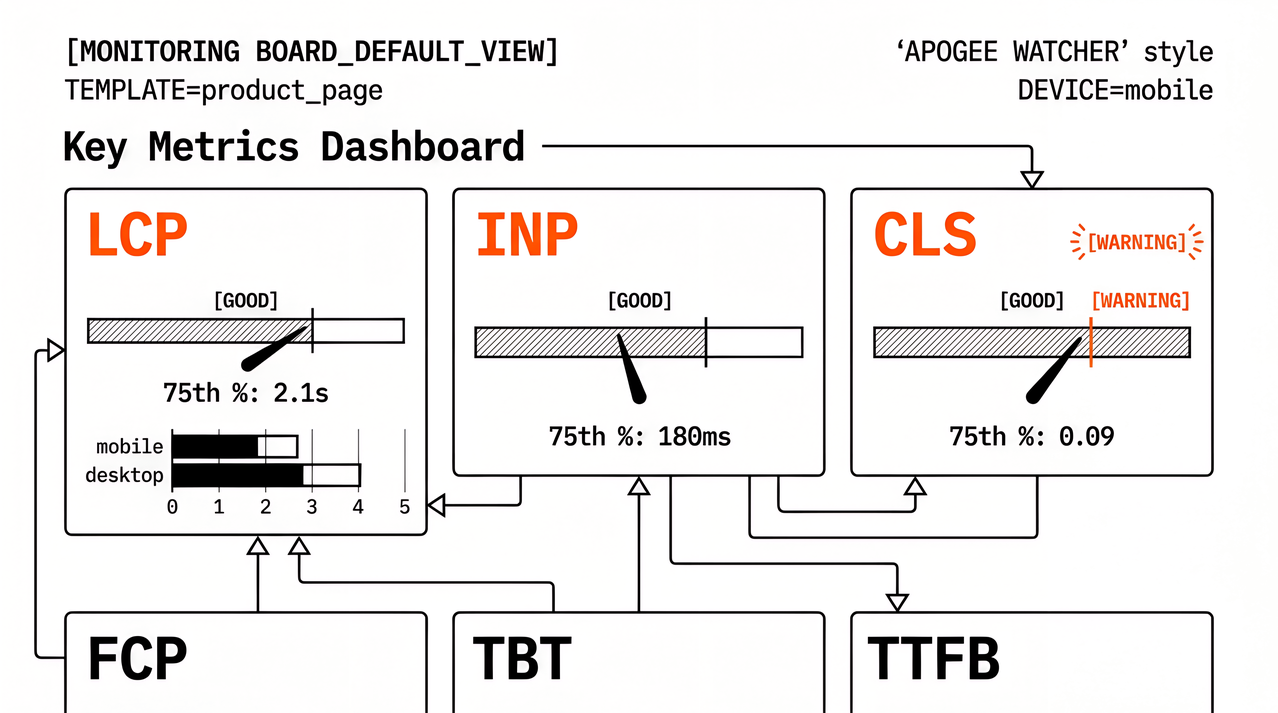
Most agents that claim to fix Core Web Vitals are running a controlled laboratory test. They load one URL (often the homepage), apply a device and network profile close to Lighthouse mobile, collect Largest Contentful Paint, Interaction to Next Paint proxies or Total Blocking Time, and Cumulative Layout Shift, then rewrite or recompress whatever the opportunities list blames. That matches how Google’s public tools explain laboratory data: a repeatable sample under fixed conditions, not a week of Chrome traffic.
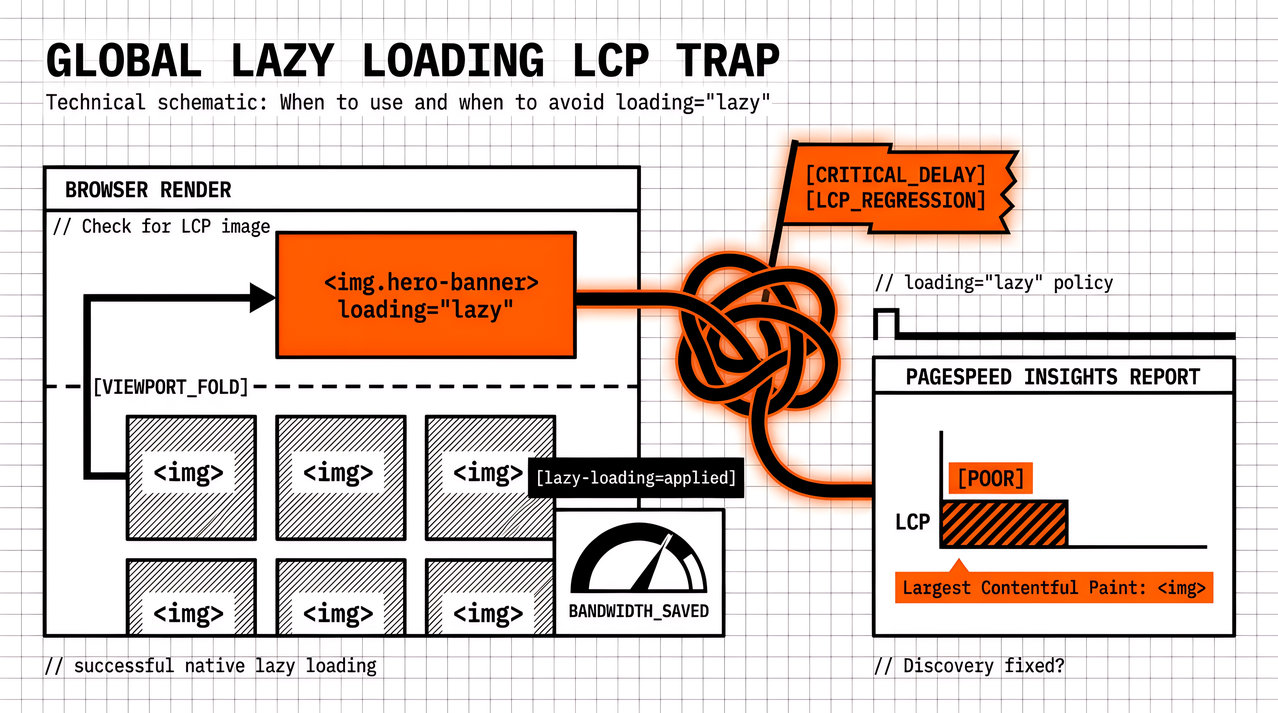
The prompt is honest when you use it that way. It catches oversized hero images, lazy-loaded Largest Contentful Paint candidates, font swaps that push layout around, and scripts the agent can remove or defer on the pages it just built. Treat it as a launch checklist, not as proof that field data will look the same.
What a single green lab report actually checked
A green Core Web Vitals row in an AI builder, or a strong PageSpeed Insights performance score on publish day, usually means:
- One template (often home), not every important URL such as checkout, booking, or quote
- One laboratory profile, not mid-range phones on unreliable mobile networks
- Metrics from that run’s Lighthouse-style engine, not Search Console’s 28-day Chrome UX Report window
- Fixes applied to assets the agent controls on that build, not every third-party tag you add after launch
Google’s guidance on laboratory versus field data is clear: those measurements answer different questions. Laboratory data tells you what to change next. Field data tells you whether real Chrome visits meet the good thresholds at the 75th percentile. Mixing them is how teams celebrate a Friday launch and then argue with Search Console three weeks later.
Score differences between two identical laboratory runs are also normal. If you are about to tell a client “we are green,” take a median of a few PageSpeed Insights runs on the same URL and strategy, and write down the date. A screenshot without a date is how an afternoon build turns into a Thursday scramble when the account manager forwards a complaint.
What that prompt did not check
Field data and sample size
The Chrome UX Report (and the field block inside PageSpeed Insights) needs enough Chrome visits for the URL or origin. A brand-new domain often has no URL-level field data on day one. Origin-level rows can make a weak contact form look healthier than it is, or hide a strong brochure page behind a slow homepage. Name that gap in the client note instead of claiming a Core Web Vitals win from laboratory data alone.
Other URLs
Booking, quote, prices, and blog posts are where forms, calendars, and embeds usually sit. The homepage can stay green while the enquiry page fails Interaction to Next Paint or Cumulative Layout Shift after a cookie banner and a map. Ask the agent (or run PageSpeed Insights yourself) on the URL that brings customers, not only the URL that looks tidy in the preview.
Next week’s edits
AI builders make “add a Christmas banner” or “swap the hero photo” a one-sentence change. Those sentences are exactly how Largest Contentful Paint and Cumulative Layout Shift get worse after the launch checklist. Without a schedule, nobody compares this week’s laboratory run to last week’s. The prompt fixed the build you had; it did not watch the build you will have next.
Third parties you paste later
Analytics, chat widgets, booking iframes, and ad pixels often arrive after the speed step. The agent cannot fix scripts that were not on the page when it ran. Treat post-launch tags as a new laboratory pass on the same URL list.
A short checklist after the agent says green
Use this the day you connect the domain, then again after the first content or tag change:
- Record the laboratory tool, URL, strategy (mobile or desktop), and date for the “green” claim.
- Re-run the same check on the conversion URL (quote, booking, or shop), not only home.
- Note whether PageSpeed Insights shows URL-level field data, origin-level data, or insufficient data.
- Write the next check date (seven days is enough for most small sites; agencies may use a weekly portfolio schedule).
- When laboratory and field data disagree, keep both labels. Do not pick the friendlier number for the client report.
That list keeps an AI afternoon launch honest without pretending the builder failed. The builder did the launch job, but monitoring is a different job.
FAQ
Does asking an AI to fix Core Web Vitals replace PageSpeed Insights?
No. Many builders wrap a similar laboratory engine. You still want a named report you can re-run and date. PageSpeed Insights remains a useful public check when you need a link the client can open.
Why did PageSpeed Insights look worse after website launch than in the builder preview?
Preview hosts, image CDNs, and third-party scripts often differ after the custom domain goes live. Re-test the live host, and compare the same URL and strategy before blaming the agent.
When is a green laboratory score enough?
It is enough to go live with a small brochure site for day one, with the conversion URL checked and a follow-up date written down. It is not enough to claim Search Console Core Web Vitals are healthy when field samples are missing or still need improvement. Keep the laboratory result dated so the next edit has a baseline to compare against.
Should agencies still use AI website builders?
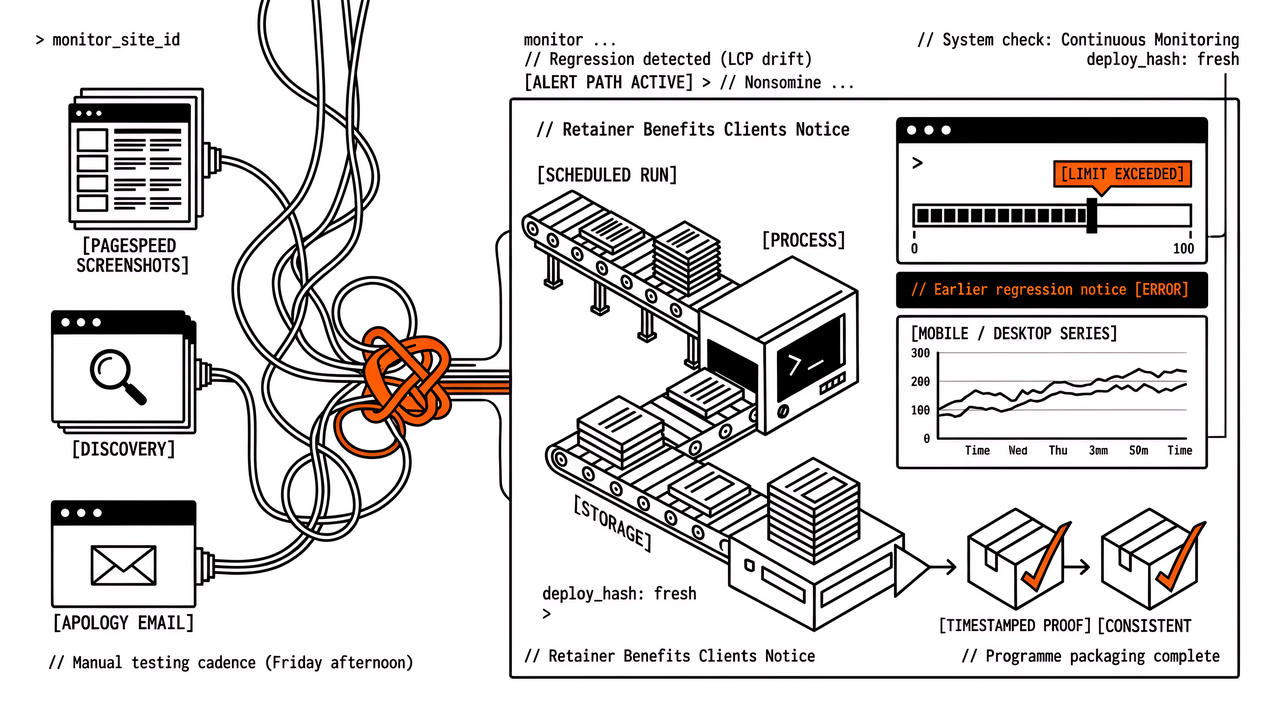
Yes, when the brief and legal pages matter more than a custom design system. Keep the build guide for launch, and keep scheduled laboratory checks (and field data when samples exist) for the retainer. The two layers do not compete.
Keep the prompt. Add a schedule.
Ask the agent to fix Core Web Vitals when you finish the build. Treat the answer as a dated laboratory sample on a short URL list. Add field data when the Chrome UX Report fills in, and keep a schedule so the next banner or widget cannot erase the afternoon win without anyone noticing.
If you want that schedule across many client domains without pasting PageSpeed Insights by hand, try Apogee Watcher or run a free domain check for a multi-page laboratory baseline before you commit.
References
- Build a Website With AI in an Afternoon (Jobbit)
- Lab data vs field data (web.dev)
- Web Vitals (web.dev)
- PageSpeed Insights vs Automated Monitoring (Apogee Watcher)
- When to Use Synthetic vs Real User Monitoring for Performance (Apogee Watcher)
About the author
- Apogee Information Systems operates at the intersection of digital transformation for international organisations, innovative e-learning, public service automation, and specialised commercial solutions. Currently building Apogee Watcher, a web performance tool for agencies and solopreneurs.
Comments
Join the discussionNo comments yet. Be the first to comment.