Key metrics we actually put on a monitoring dashboard
A short board for agencies: Core Web Vitals by template, a few supporting diagnostics, deploy deltas, and tiered alerts. Leave the encyclopaedia off the default view.
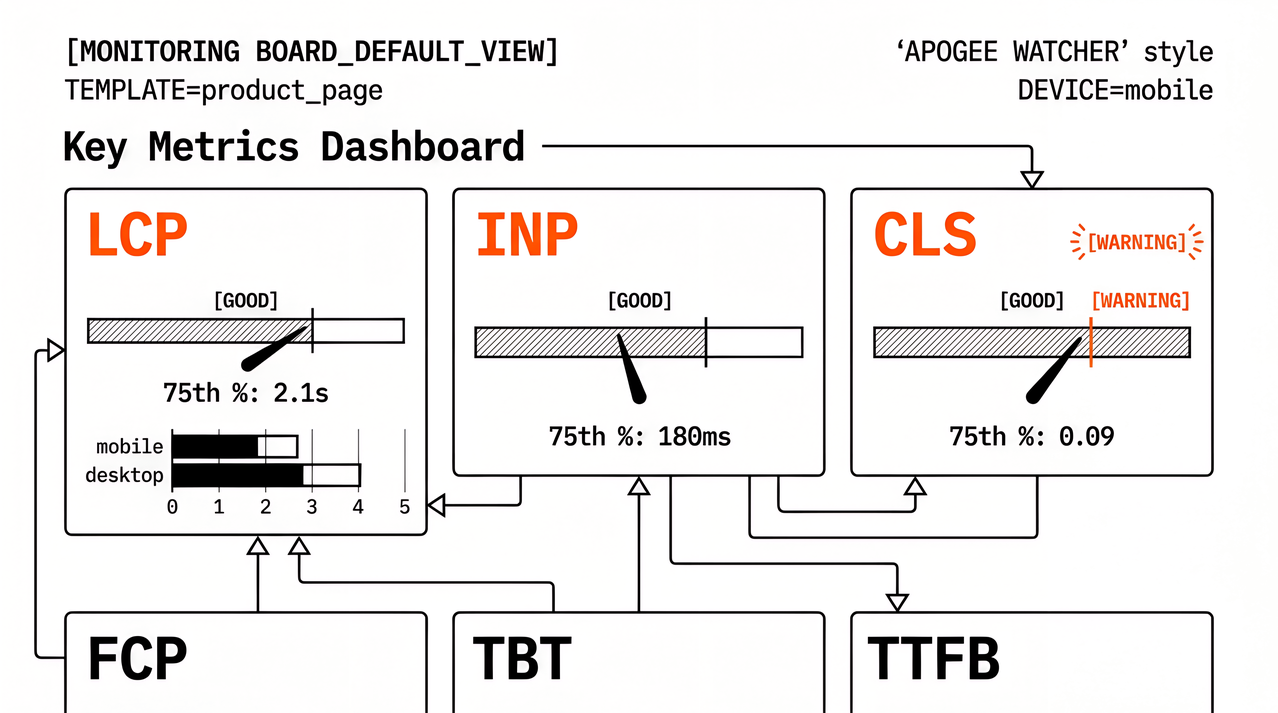
A useful monitoring dashboard is not a museum of every chart your stack can emit. It is a short set of tiles that answer three questions after a release: what got worse, on which template or device, and whether the change is worth a ticket today. That shortlist is what we mean by key metrics in web performance monitoring when the audience is an agency or multi-site team, not a vendor feature matrix.
Metric definitions and the longer monitoring-metrics hub already live on our blog. For the full key-metrics list (vitals, supporting metrics, deploy deltas, and what to leave off), start with Key Metrics in Web Performance Monitoring. For what each Core Web Vital measures and how to improve it, see LCP, INP, CLS: What Each Core Web Vital Means and How to Fix It. For the supporting laboratory pair that explains load and main-thread blocking, see FCP and TBT: Supporting Metrics Beyond Core Web Vitals. What follows is the board layout we keep by default: tiles, segments, alert tiers, and the numbers we deliberately leave off the first screen.
What belongs on the default monitoring board
Every primary tile should earn its place by supporting at least one job: flag user-experience risk, catch a regression after a release, narrow a diagnosis, or give an account lead a sentence they can send without rebuilding a deck from raw JSON. If a chart cannot do one of those jobs, it belongs in a drill-down view, not on the default board. That filter alone removes vanity scores, rarely owned custom events, and one-off laboratory screenshots treated as production truth.
Segmentation is part of the metric, not an optional filter, because site-wide averages hide the product template that regressed while the homepage stayed in the good band. At minimum we split by template or journey (home, listing, product, checkout, login), by device class (mobile and desktop), and by strategy (lab versus field). Without those splits, web performance monitoring metrics become arguments about “the site” instead of tickets with owners.
Core Web Vitals tiles: LCP, INP, and CLS
Google’s current Core Web Vitals set is the shared language for load, interactivity, and layout stability. Per web.dev’s Web Vitals overview, evaluate each metric at the 75th percentile, separately for mobile and desktop, against the good thresholds: Largest Contentful Paint (LCP) within 2.5 seconds, Interaction to Next Paint (INP) at 200 milliseconds or less, and Cumulative Layout Shift (CLS) at 0.1 or less. On the board we treat those three as primary tiles, not footnotes under a single score.
| Tile | Where we watch it | Why it stays on the board |
|---|---|---|
| LCP | Home, category, product, primary landing pages | Early paint of the main content; client and SEO conversations already use it |
| INP | Search, filters, cart, checkout, account, forms | Interactivity regressions that LCP alone will miss |
| CLS | Templates with embeds, banners, ads, late injection, font swaps | Stability that lab load windows often under-report versus field |
Thresholds and remediation steps are covered in the linked Core Web Vitals guide. The monitoring habit that belongs here is narrower: same URLs, same percentiles, dated history, mobile and desktop split, and a named owner when a vital leaves the good band. Without that ownership, a red tile is decoration until a client forwards a screenshot.
Supporting tiles: FCP, TBT, and TTFB
Supporting metrics are not Core Web Vitals, but they sit beside the vitals so a regression is diagnosable before the weekly review. Google lists Time to First Byte (TTFB) and First Contentful Paint (FCP) as useful for loading diagnosis, and Total Blocking Time (TBT) as a laboratory proxy for main-thread work that can affect INP (Web Vitals). They earn a seat when they shorten the path from a red vital to a likely cause.
| Tile | Role | Typical question |
|---|---|---|
| FCP | Early paint / render-blocking | Did anything visible appear later than before? |
| TBT | Lab proxy for main-thread blocking | Did JavaScript block the main thread longer in this lab run? |
| TTFB | Server and network start | Did the first byte arrive later (origin, CDN, redirects, cache)? |
Keep these three next to the vitals they explain, and do not promote them into client language as replacements for LCP, INP, and CLS. Speed Index, Time to Interactive, and other legacy laboratory numbers can stay in drill-downs. They should not crowd the default agency board unless the team has a written rule for what happens when they move.
Lab versus field on the same board
Lab (scheduled Lighthouse or PageSpeed Insights) and field (Chrome UX Report or first-party real-user monitoring) answer different questions, so confusing them produces false confidence and false alarms. The decision tree for when to lean on each is in When to Use Synthetic vs Real User Monitoring for Performance. For the shortlist, use this split:
| Signal | Lab | Field |
|---|---|---|
| LCP | Repeatable baseline; good for release compare | User truth at p75 by device |
| INP | Not measured directly; use TBT as proxy | Primary interactivity signal |
| CLS | Load-window shifts; often lower than field | Full-session shifts, including late CLS |
| Score / category | Useful trend under fixed conditions | Do not treat one lab score as CrUX |
Scheduled laboratory checks catch regressions early under controlled conditions, but field data confirms whether real visitors got worse. You need both rows for a complete answer to what to monitor for web performance, especially when PageSpeed Insights shows field categories for an origin and a lab run for a URL. Treat the lab row as the release check and the field row as the production verdict, not as interchangeable scores.
Deploy deltas and alert tiers
Absolute thresholds matter for client language and continuous integration gates, but deploy deltas often matter more in day-to-day ops. A route can stay inside a generous budget and still lose enough LCP or INP after a release to hurt conversion or support load. Track change versus the previous comparable run for LCP, INP (field), CLS, and laboratory TBT or LCP on the same URL list. Annotate deployments, tag manager publishes, and major content launches on the same timeline; without markers, teams see that something moved and spend the morning guessing.
Not every tile deserves a notification. We tier severity so channels stay useful and same-day alerts stay rare enough that people still open them. The three levels below map expected response time to the work the metric is asking for:
Same-day triage: sharp LCP or INP regression on checkout, pricing, or homepage templates after a deployment; sustained CLS rise on templates with embeds or late injection; laboratory budget breach on a critical URL when the retainer already agreed the threshold.
Sprint planning: smaller regressions that persist across multiple scheduled runs; week-over-week CLS or TBT drift; a widening mobile versus desktop gap on the same template.
Review only: exploratory custom timings with no owner; one-off synthetic runs outside the monitored set; vanity scores with no route or device context.
Alerts earn trust when the message includes route, device, metric, and recent change, and when someone owns the ticket. If everything is critical, people ignore the channel and only open the boards after a client complains. Product-specific budget and email patterns vary by tool; the principle is universal: alert on user-visible risk and sustained drift, not on every chart that can move.
What we leave off the default dashboard
Teams often over-focus on precise-looking data that is hard to act on quickly. A number can look authoritative on a chart and still fail the jobs above: no user-risk decision, no regression call, no diagnosis path, and no sentence an account lead can send. De-prioritise these as primary tiles:
A single global performance score with no route, device, or lab/field label.
One-off laboratory runs treated as production truth.
Rare edge-case alerts that wake the whole team.
Metrics with no owner and no expected response.
Custom events added because the tool allows them, without a recurring decision they support.
Backend application-performance-monitoring latency alone as a substitute for Core Web Vitals.
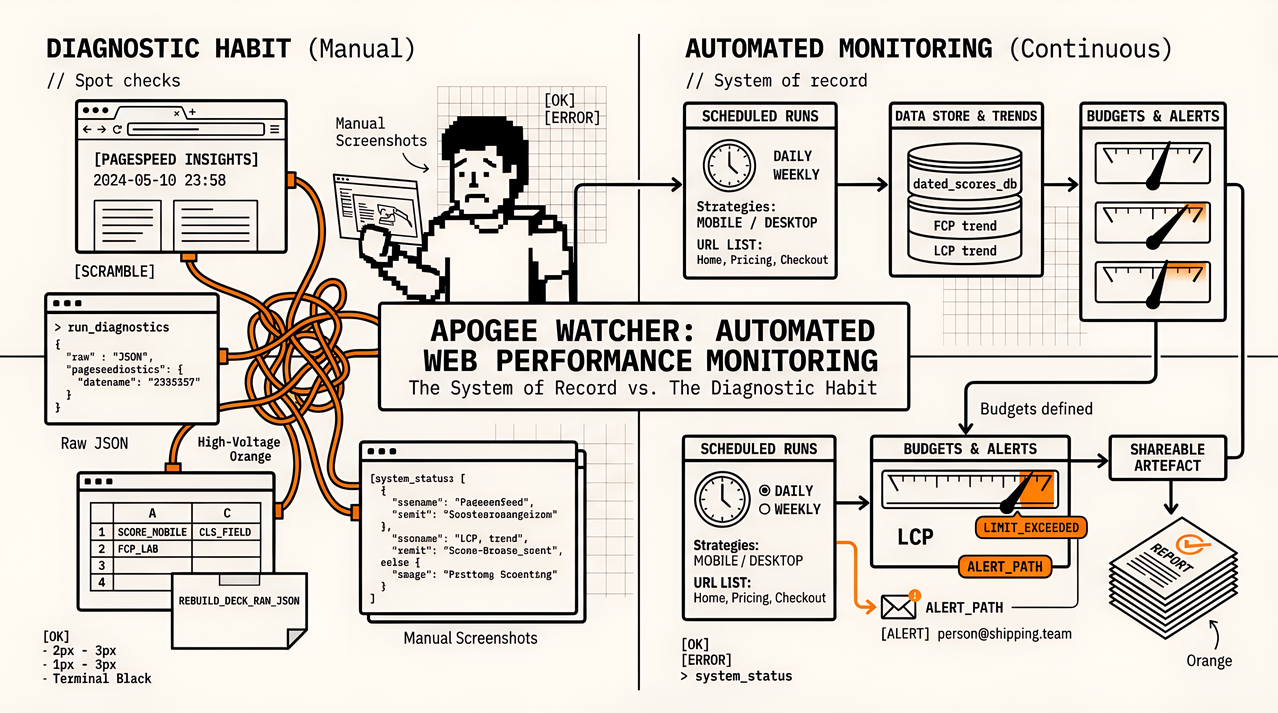
If a metric cannot trigger a clear action or a clear report sentence, it should not dominate the first screen. Continuity still matters: schedules, history, budgets, and alerts are what turn a shortlist into monitoring, as framed in What Is Automated Web Performance Monitoring?. A tidy board without those jobs is still only a diagnostic habit.
FAQ
What are the key metrics in web performance monitoring?
Start with Core Web Vitals at p75 by template and device: LCP, INP, and CLS, then add supporting diagnostics FCP, TBT (lab), and TTFB. Track deploy deltas on the same set, and alert only on user-visible or sustained regressions. Everything else is secondary until it supports a recurring decision.
What should a small agency team monitor first?
Start with route-level LCP, INP (or TBT in lab), and CLS on mobile and desktop for homepage, pricing, and checkout paths, plus one deploy-delta view and a small set of same-day alerts. Add FCP and TTFB when diagnosis slows down. Skip custom metrics until the defaults are trusted.
Should we prioritise real-user monitoring or synthetic checks?
Use both rather than picking one. Synthetic checks catch regressions under controlled conditions and work before traffic exists, while field signals confirm production impact. They answer different questions, so do not average them into one number.
Are absolute thresholds enough?
Absolute budgets alone are not enough. Keep them for client language and continuous integration gates, but add deploy deltas. Many real regressions are meaningful changes that still sit inside broad passing bands, so the delta is what should open the ticket.
How do we reduce alert fatigue?
Tier severity, require sustained failures or a minimum sample, and include route and metric context in the message. Assign ownership so someone knows who opens the ticket. Mute exploratory charts; do not send urgent alerts for them.
Keep the board short enough to trust
Key metrics in web performance monitoring are not every number your tool can emit. They are the short set that answers what got worse, where, and after which change: Core Web Vitals by template and device, supporting diagnostics, deploy deltas, and a tiered alert model. Leave vanity scores and orphan custom events off the default board. When that list is stable, tooling conversations get simpler, because you already know which charts must stay honest after every release.
If you want that loop on a multi-tenant portfolio without building the schedule and history yourself, try Apogee Watcher or run a free domain check to see multi-page laboratory baselines before you commit.
References
Web Vitals (web.dev)
LCP, INP, CLS: What Each Core Web Vital Means and How to Fix It (Apogee Watcher)
FCP and TBT: Supporting Metrics Beyond Core Web Vitals (Apogee Watcher)
When to Use Synthetic vs Real User Monitoring for Performance (Apogee Watcher)
What Is Automated Web Performance Monitoring? (Apogee Watcher)
About the author
- Apogee Information Systems operates at the intersection of digital transformation for international organisations, innovative e-learning, public service automation, and specialised commercial solutions. Currently building Apogee Watcher, a web performance tool for agencies and solopreneurs.
Comments
Join the discussionThe 'short enough to trust' constraint is the real design rule: a default board with forty tiles trains people to ignore all forty. Deploy deltas sitting next to the vitals is what turns a chart from decoration into a cause.
A default board with forty charts is how people learn to ignore every chart. What turns a number into a cause is seeing how LCP, INP, or CLS moved after a release, on the same timeline as that release, and only opening a ticket when the move holds across more than one scheduled run. One noisy lab run beside a still-green budget is still decoration.
Keeping the dashboard to a short set of tiles that answer what got worse after a release is a good filter. One practical addition is a per template view, since a slow product page and a slow blog post need different fixes and averaging them hides both. Do your agency users ask for a client facing version of that view?
They do ask for a client-facing version, but usually not a second full dashboard. What they want is a shareable report that shows Core Web Vitals by template over the period, so the account lead can send progress without handing over the monitoring board the team uses. The per-template split matters for the same reason you named: a slow product page and a slow blog post need different fixes, and a site-wide average hides both. The short internal board stays for the people who open the tickets.
Core Web Vitals education
Explainers and metric myths for Core Web Vitals aimed at developer-network readers.